SKU:DS-2CD2366G2-ISU-SL-2
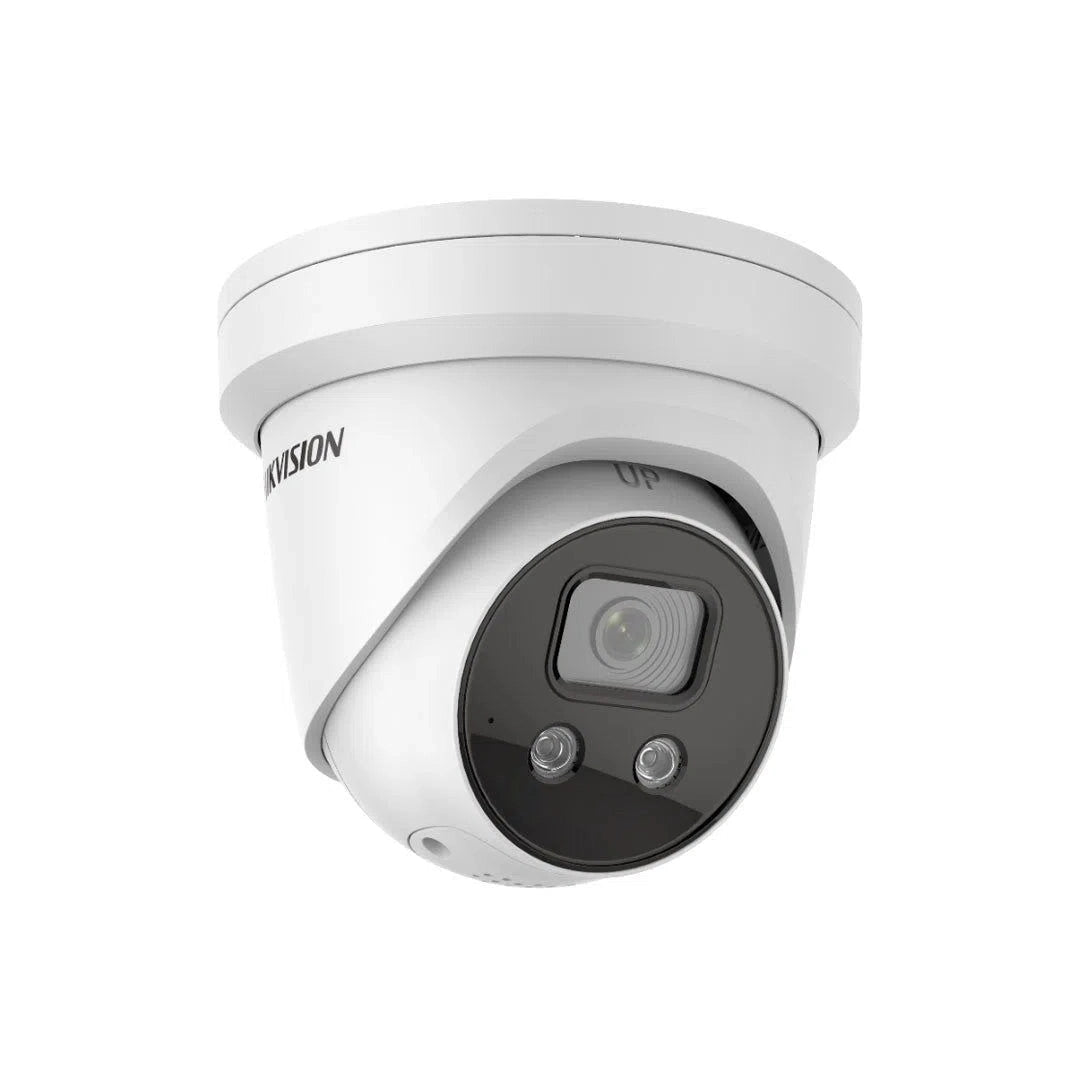
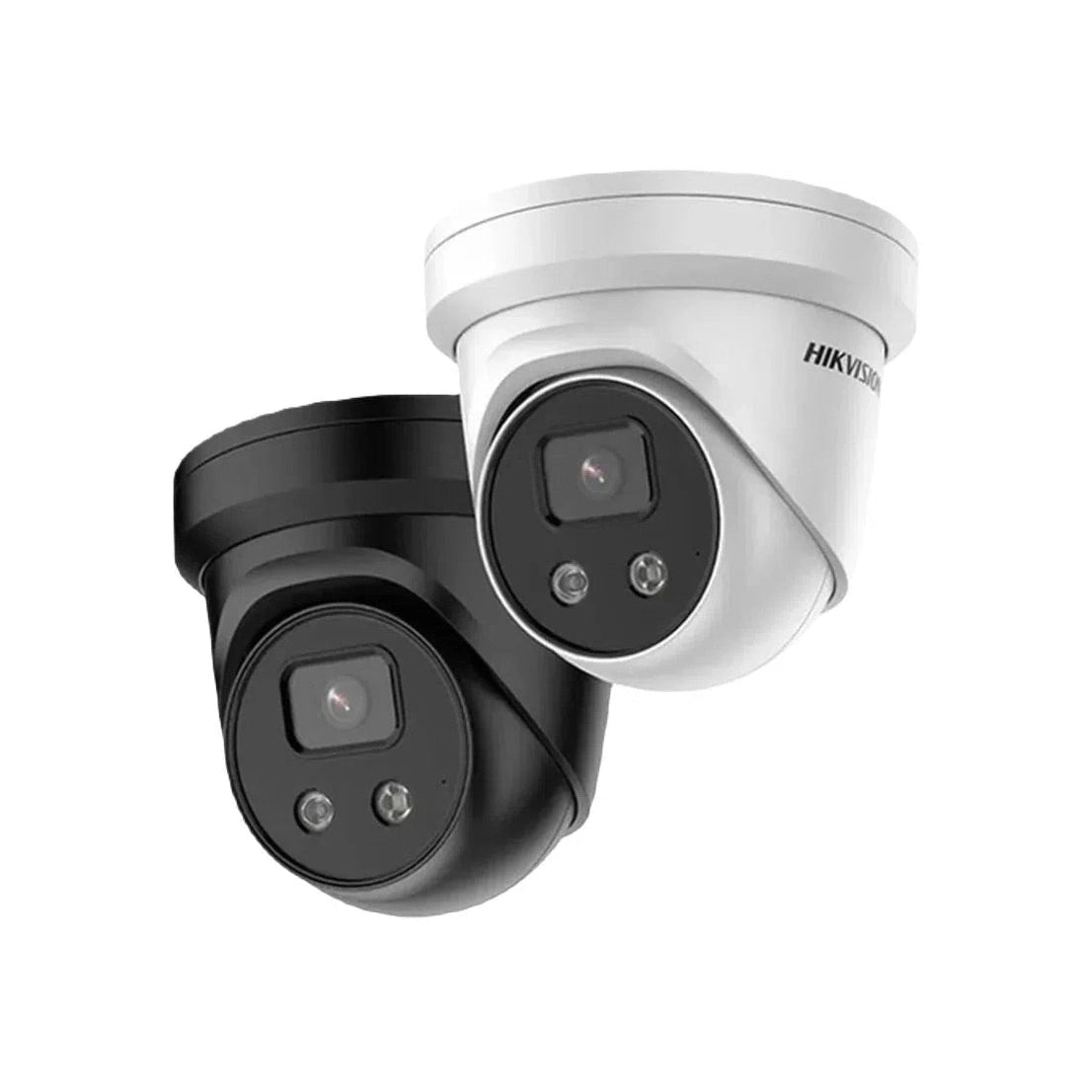
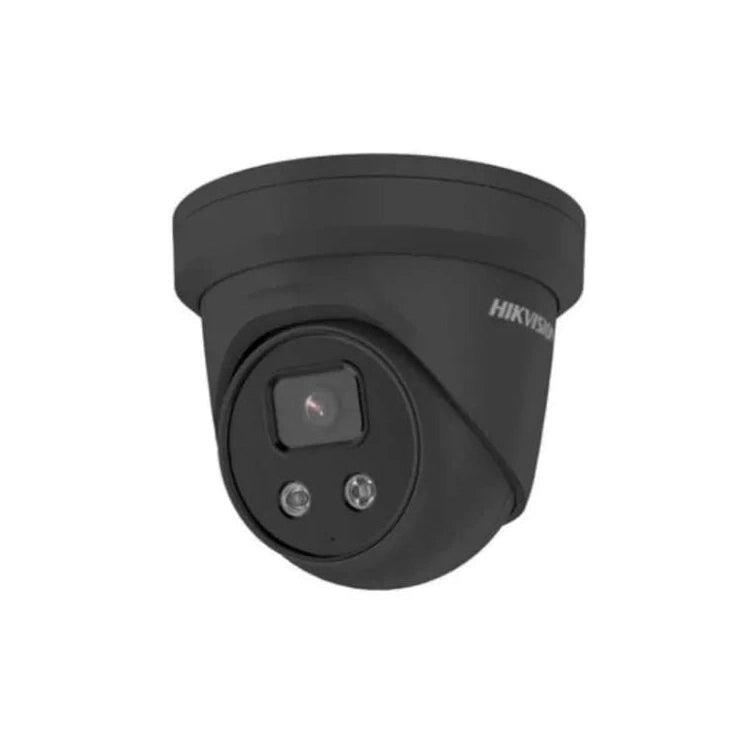
HIKVision 6MP DS-2CD2366G2-ISU-SL-2 Acusense Liveguard 2.8mm
-
Vendor:
HIKVision
- Tags: Active deterrence, New arrival, Offers
Buying from us? You get more than just the product.
Free Pre-Programming
We can pre-configure eligible products so they're ready to install.
Free 45 Mins Onsite Support
Stuck on the job? We'll come to you. Eligible purchases include up to 45 minutes of onsite support.
Project Management
From plans to handover. We assist with design, equipment selection, programming and commissioning.
End-User Support
We help support your customers too. Give your customers the confidence with reliable local support.

- Description
- Specification
Product Overview
Two specifications on this camera do most of the work, and neither is the resolution.
The first is the 1/1.8″ sensor. That is a large-format sensor by any standard and considerably bigger than the 1/2.7″ and 1/2.4″ formats common in this category. More sensor area means physically larger pixels, more light gathered before processing begins, and a colour rating down to 0.003 lux. On a poorly lit approach that difference decides whether footage is usable.
The second is alarm input and output terminals. Most deterrence cameras are self-contained — the camera detects, the camera responds, and that is the end of it. This one has terminals, so it can fire an external siren or relay mounted wherever the noise is actually needed, and can itself be triggered by a beam or door contact on an existing alarm panel.
Around those sits the full DS-2CD2366G2-ISU/SL feature set: AcuSense Gen 2 human and vehicle classification, built-in strobe and audible alarm, two-way audio through microphone and speaker, 120 dB True WDR, 30 m infrared with smart supplement light, IP67 sealing, and PoE. Available with a 2.8 mm or 4 mm fixed lens.
Key Capabilities
1/1.8″ Large-Format Sensor
The specification that matters most and gets talked about least. A 1/1.8″ sensor has substantially more surface area than the 1/2.7″ format used across most of this category, so each pixel gathers more light. Less digital gain is required, which means low-light images stay clean instead of dissolving into the smeared noise that ruins most night footage. Colour holds to 0.003 lux.
Alarm Input and Output Terminals
What separates this from consumer deterrence cameras. The alarm output can trigger an external siren, strobe or relay when a person is detected — mounted wherever the response is actually needed rather than at the camera. The alarm input works the other way, letting a beam, door contact or panel output trigger recording and warnings.
Strobe and Audible Alarm
A built-in strobe fires and an audible alarm sounds when AcuSense confirms a person or vehicle in a monitored area. The value is in the timing — a response delivered while someone is still deciding whether to proceed does work that footage reviewed the next morning simply cannot.
Two-Way Audio
Built-in microphone and speaker support live two-way talk, so you can address someone directly rather than relying on a recording. Custom warning audio can also be uploaded and set to play automatically on detection — a specific message lands considerably harder than a generic tone.
AcuSense Gen 2 Classification
Deep learning classification separates people and vehicles from foliage, rain, pets and wildlife before anything triggers. On a camera that produces a visible and audible response this accuracy matters twice over — it governs your notifications and it decides when the strobe and alarm fire.
Searchable Analytic Events
AcuSense generates classified alarm events as it records, so reviewing footage means filtering to human or vehicle events rather than scrubbing a timeline. On a site dealing with regular incidents that saves genuine hours, and it is the difference between footage you use and footage you never get around to checking.
120 dB True WDR
True wide dynamic range balances exposure across bright and dark areas of the same frame — the feature that saves the shot of someone standing in a doorway with sky behind them. Slow shutter support and an ICR cut filter handle the day-to-night transition automatically.
30 m Smart Supplement IR
Infrared at 850 nm reaching 30 m, with smart supplement light control that adjusts intensity rather than running flat out. That prevents the near-field washout that turns someone walking up to the lens into a white blur on cheaper cameras.
Full Angle Adjustment, IP67, PoE
Pan and rotate through a full 360° with 75° of tilt, so the camera can be aimed and levelled properly from an eave, soffit or wall without fighting the bracket. Fully dust-tight and sealed against water, powered over a single PoE run with 12 V DC available as an alternative.
Best For
Alarm I/O integrates the two systems
1/1.8″ sensor and 0.003 lux colour
Deterrence plus searchable event review
Speak to loiterers without attending
360° pan and rotate for proper aiming
Full event integration on a Hikvision NVR
Why Choose the ISU/SL
If you already know the DS-2CD2366G2-IU, this is that camera with a response layer added — same AcuSense classification, same 120 dB WDR, same excellent low-light rating. What the ISU/SL adds is a strobe, a speaker with two-way talk, and alarm input and output terminals.
The alarm I/O is the part worth thinking hardest about. Most deterrence cameras are closed systems: they detect, they respond, and nothing else in your setup knows it happened. This one has terminals. It can drive an external siren mounted where the noise is genuinely useful, trigger a relay, or take an input from a beam or door contact on an alarm panel that is already installed. On a commercial site with existing security infrastructure, that is the difference between a camera that participates and a camera that runs in parallel.
The second reason is the imaging. A 1/1.8″ sensor is unusual at this level, and it puts this camera on a par with premium deterrence models from other brands on the single specification that matters most after dark. If your problem area is an unlit laneway, a rear boundary or a service entrance, that is where the money goes further than a higher megapixel count would.
Total Security Equipment supplies genuine Hikvision Australian stock from showrooms in Melbourne and Sydney, with compatible NVRs, brackets, junction boxes and PoE gear on the shelf, trade accounts for installers, and local warranty handling.
Buyer Decision Tips
Key Features & Technical Specifications
| Model | DS-2CD2366G2-ISU/SL |
| Resolution | 6MP |
| Image Sensor | 1/1.8″ Progressive Scan CMOS |
| Min. Illumination | Colour: 0.003 Lux @ F1.6, AGC ON |
| Shutter Speed | 1/3 s to 1/100,000 s |
| Slow Shutter | Yes |
| Wide Dynamic Range | 120 dB True WDR |
| Day and Night | ICR cut filter |
| IR Range | Up to 30 m |
| IR Wavelength | 850 nm |
| Smart Supplement Light | Yes |
| Visual Alarm (Strobe) | Yes — built-in strobe light |
| Audible Alarm | Yes — built-in siren |
| Two-Way Audio | Yes — built-in microphone and speaker |
| Analytics | AcuSense Gen 2 — human and vehicle classification via deep learning |
| Angle Adjustment | Pan: 0° to 360°, Tilt: 0° to 75°, Rotate: 0° to 360° |
| Ingress Protection | IP67 |
| Available Lens Options | 2.8 mm, 4 mm |
Ideal Use Cases
Commercial Sites With Existing Alarms
The strongest case for this camera specifically. Where a site already runs an alarm panel, beams or door contacts, the alarm I/O lets the camera participate rather than duplicate — triggering the existing siren on a person detection, or starting recording and warnings when a sensor fires. One integrated response instead of two systems that ignore each other.
Unlit Laneways and Service Areas
The 1/1.8″ sensor earns its place where ambient light is minimal — rear laneways, service entrances, unlit boundaries. Holding colour to 0.003 lux means clothing and vehicle colour stay recoverable in exactly the conditions where a smaller-sensor camera has already dropped to greyscale.
Loading Docks and Rear Entrances
Loitering and after-hours access at service areas is common, rarely worth a call-out, and usually resolved the moment someone realises they have been noticed. A spoken warning at the point of entry, plus the option to talk live from home, handles most of these without anyone attending the site.
Awkward Mounting Positions
Full 360° pan and rotate with 75° of tilt means the camera can be levelled and aimed properly from an angled eave, a corner, or a soffit that does not sit square to the area of interest. Fewer installations end up with a crooked horizon or a compromised view because the bracket would not cooperate.
Sites Where Footage Gets Reviewed Regularly
Most CCTV discussion focuses on capture and almost none on retrieval, yet retrieval is where systems quietly fail people. The footage exists, the incident is definitely on it, and nobody has three hours to find it — so it never gets found. AcuSense Gen 2 generates classified alarm events as it records, so on a compatible Hikvision NVR you filter to human or vehicle events rather than scrubbing a timeline. For a business handling regular incidents, insurance requests or staff disputes, that changes how much the system is actually worth having.
Choosing the Right Model
Choose this model if…
- You have an existing alarm system and want the camera integrated with it via alarm I/O.
- The approach is poorly lit — the 1/1.8″ sensor is the reason to buy this over a smaller-sensor deterrence camera.
- You want to speak to people on site from your phone.
- You want a proportionate warning rather than a property-wide alarm.
- The mounting position is awkward and full angle adjustment matters.
- You are building on Hikvision recorders and want full event integration.
Choose a different model if…
- You need maximum audible volume across a large open site. Either wire an external siren to the alarm output, or choose a camera built around a high-output siren.
- You do not need deterrence at all. The DS-2CD2366G2-IU is the same camera without the strobe, speaker and alarm I/O, for less.
- You want continuous colour all night. This holds colour exceptionally well but still switches to infrared in true darkness; ColorVu keeps colour running.
- You need to adjust framing after mounting. Fixed lens — a varifocal gives on-site flexibility.
- You need readable plates on moving vehicles. That is a dedicated ANPR job.
FAQs
What is the difference between the ISU/SL and the IU?
Same sensor, same low-light performance, same 120 dB WDR, same AcuSense classification. The ISU/SL adds a strobe light, an audible alarm, a speaker for two-way talk, and alarm input and output terminals. If you want the camera to respond to what it sees, or to integrate with an alarm system, this is the one. If you only need recording and detection, the IU does that for less.
How loud is the alarm?
The alarm is built into the camera body and Hikvision's published maximum is measured at 10 centimetres from the unit. Sound falls off quickly with distance, so at the range someone would actually be standing this delivers a clear, unmistakable warning rather than an alarm that carries across a property. For most sites that is the right level. If you need serious volume over a large area, wire an external siren to the alarm output — that is exactly what the terminals are there for.
Can it trigger my existing alarm system?
Yes — that is what the alarm output terminal is for. It can fire an external siren, strobe or relay when the camera classifies a person or vehicle, letting you put the response wherever it is actually needed rather than at the camera. The alarm input works the other way: a beam, door contact or panel output can trigger camera recording, capture and warnings. Worth planning the wiring before installation rather than retrofitting it.
Why does the 1/1.8″ sensor matter?
Because resolution tells you how many pixels there are, not how much light each one collects. A 1/1.8″ sensor is physically larger than the 1/2.7″ format used in most cameras at this level, so at the same 6MP each pixel is bigger and gathers more light. Less digital gain is needed to brighten the image, which means less noise. In daylight the difference is modest; as light drops it becomes obvious. On a dark site, sensor format is a better guide than megapixel count.
Does active deterrence actually work?
For opportunistic intrusion, generally yes — opportunists rely on being unobserved and unhurried, and a strobe with an audible warning removes both conditions immediately. It is less relevant against someone specifically targeting a property who expects a response. Treat it as a strong first layer that resolves most casual incidents, not as a substitute for locks, lighting and an alarm system.
Will the alarm fire constantly?
Not if it is configured properly. The response triggers on AcuSense classification, so it reacts to people and vehicles rather than animals, foliage or shadows, and detection zones narrow it further to specific areas. The usual cause of nuisance triggering is a zone drawn too wide, taking in a road or footpath. Draw tightly around what you actually need protected and walk the boundary to test it.
Can I record my own warning message?
Yes. Custom audio can be uploaded and set to play automatically when an event triggers, which is far more effective than a generic tone. A message naming the premises and stating that footage is being recorded makes clear a real person is involved. Keep it calm and factual — the goal is for someone to leave, not to escalate.
2.8 mm or 4 mm — which lens should I choose?
Start from the shape of the area rather than its size. The 2.8 mm suits wide, shallow spaces viewed from close range — courtyards, entrances, general perimeter coverage. The 4 mm narrows the view and puts the same 6MP across less area, which is what you want for a driveway, gate or defined approach where detail further from the camera matters. The lens is fixed, so this is decided at order time. Tell us the layout and we will advise.
Does it record in colour at night?
It holds colour to a very low light level — 0.003 lux — so the camera stays in colour far longer than most as light fades. In genuine darkness the ICR cut filter switches it to infrared and it records greyscale. If you need unbroken colour footage all night regardless of conditions, that is a ColorVu camera with a permanent white light rather than this.
Are there legal issues with the audio or the alarm?
Two worth checking. Audio recording is governed by state and territory surveillance device legislation restricting recording of private conversations — in Victoria the Surveillance Devices Act 1999. A speaker adds a further dimension in shared or public-facing spaces, so signage matters and legal advice is sensible for a workplace or publicly accessible site. Separately, if you wire an external siren to the alarm output, check your local council's noise provisions before installing.
Will it work on a non-Hikvision NVR?
Video recording will generally work over ONVIF. AcuSense classification, searchable analytic events, alarm linkage and two-way audio depend on the recorder understanding Hikvision events, which in practice means a compatible Hikvision NVR. Since those features are the reason to choose this camera over a basic turret, pairing it accordingly is the sensible approach — send us your recorder model and we will confirm.
Where can I buy it and what support is included?
Available from Total Security Equipment online and across both showrooms, with Australia-wide shipping and compatible Hikvision NVRs, brackets, junction boxes and PoE gear in stock. Trade accounts and volume pricing are available for installers, and our team can help with lens selection, alarm I/O wiring and zone setup so the camera works properly from day one.
Additional Information
Showrooms
Melbourne
26 Davies Ave., Sunshine North, VIC 3020
Sydney
38 Lisbon St., Fairfield East, NSW 2165
Ordering & Support
- Australia-wide shipping
- Genuine Hikvision Australian stock with local warranty support
- Available in 2.8 mm and 4 mm, white or black
- Compatible Hikvision NVRs, brackets and junction boxes in stock
- Trade accounts and volume pricing for installers
- Phone support on lens choice, alarm I/O wiring and zone setup
- Download Spec Sheet
Already have an alarm system and want the camera wired into it? Call 03 9079 5566 or visit a showroom — we will work through the alarm I/O and lens choice with you before you order.
This innovative feature leverages deep learning to differentiate people and vehicles from other movements, drastically reducing false alarms triggered by falling leaves or small animals.
Features:
6MP high-resolution for clear video
DarkFighter tech excels in low-light conditions
True WDR (120dB) handles bright backlighting
Deep learning reduces false alarms (people/vehicles)
Strobe light & audio alarm deter intruders
Two-way audio for real-time communication
H.265+ compression saves storage & bandwidth
Weatherproof (IP67) for outdoor use