The honest guide to choosing the right front-door communication system for your Australian home in 2026
|
⏱ Reading time: 7 minutes | Updated: 2026 | Published by Total Security Equipment — Melbourne & Sydney |
You've seen the ads. A Ring doorbell on every second house in the suburb. But lately you've also seen those sleek flush-mounted intercom panels at apartment buildings and newer homes — the ones where you can answer the door on your phone from anywhere.
So what's actually the difference? And which one should you be buying for your Australian home in 2026?
The short answer: a video doorbell and a video intercom do similar things, but they are fundamentally different products designed for different situations. Getting this wrong means spending money on a system that either underdelivers on your expectations or is more complex than you actually needed.
This guide breaks it down clearly — no jargon, no brand bias.
|
💡 Quick Answer: Video doorbells (like Ring or Hikvision Wi-Fi doorbell) are easy to install and great for renters and apartments. Video intercoms (like Akuvox or Hikvision DS-KV series) are wired, more secure, and built for permanent homes — especially if you want remote door unlocking, SIP calling, and integration with your CCTV or access control system. |
What Is a Video Doorbell?
A video doorbell replaces your existing doorbell with a camera-equipped unit that connects to your home Wi-Fi. When someone presses the button, you receive a push notification on your smartphone and can see, hear, and speak to your visitor — from anywhere in the world.
Key characteristics:
• Wi-Fi connected — no dedicated wiring between the doorbell and a base unit
• Powered by battery, solar, or existing doorbell wiring (8–24V AC)
• Footage stored on cloud (usually subscription-based) or local SD card
• Motion detection triggers alerts even without a button press
• Answered via a smartphone app — no indoor screen or handset required
• Easy DIY installation — typically takes 20–40 minutes
Who makes video doorbells available in Australia?
The most common brands you'll encounter:
• Ring (Amazon) — the most recognised consumer brand in Australia. Subscription required for video history.
• Hikvision DS-KB series — commercial-grade Wi-Fi doorbell with Hik-Connect app integration. No mandatory subscription.
• Dahua VTO series (Wi-Fi models) — similar to Hikvision, with DMSS app support.
• Eufy, Reolink, Arlo — mid-market consumer options.
What Is a Video Intercom System?
A video intercom is a dedicated communication system with two components: an outdoor door station (the panel mounted at the front door, gate, or building entry) and one or more indoor stations or smartphone app connections. The two units communicate over a wired network connection — typically SIP (Session Initiation Protocol) or a proprietary protocol over IP.
Key characteristics:
• Wired connection — outdoor station connects via Cat5e/Cat6 Ethernet to a router or PoE switch
• Can unlock doors or gates remotely — built-in relay output triggers electric strike, magnetic lock, or gate motor
• Indoor station options — dedicated indoor screen/handset, smartphone app, or both
• SIP-compatible systems work across networks — answer from your office desk phone, mobile app, or indoor screen simultaneously
• Footage stored locally on NVR or SD card — no mandatory cloud subscription
• Professional-grade hardware designed for permanent installation
Who makes video intercoms available in Australia?
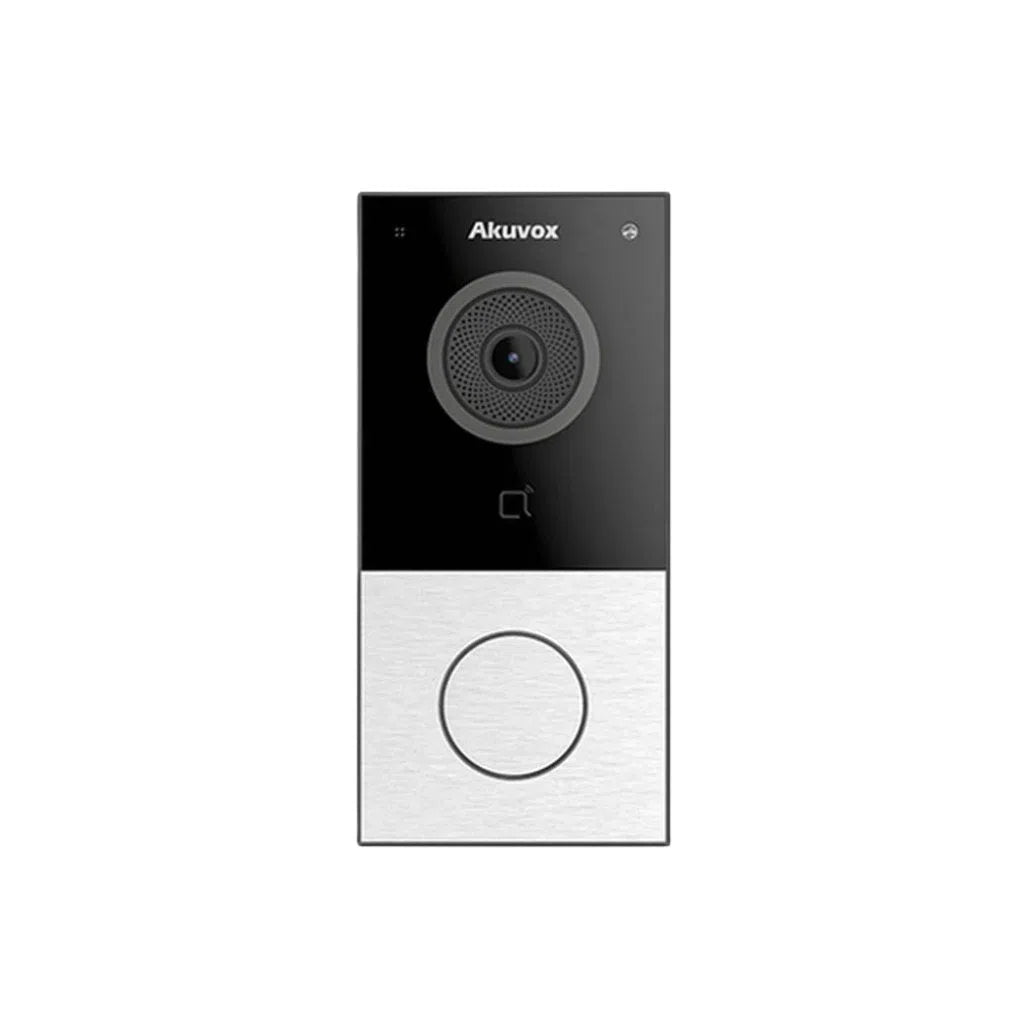
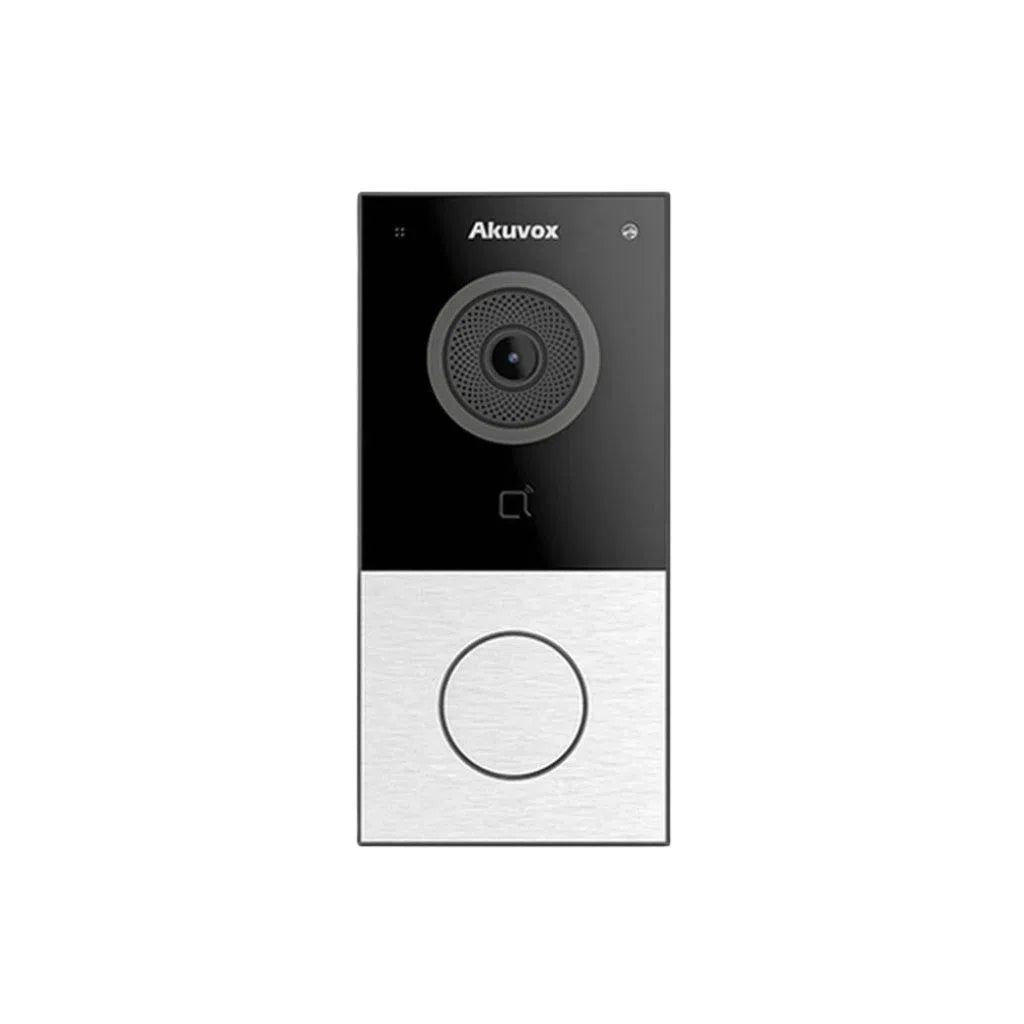
• Akuvox — TSE's premium intercom range. Android-based, SIP-compatible, deep smart home integration. Models include E12W, R29, C313W.
• Hikvision DS-KV series — reliable PoE intercom with Hik-Connect app support. Integrates natively with Hikvision NVR and alarm systems.
• Dahua VTO series (wired) — strong alternative to Hikvision with DMSS app.
• 2N, Comelit, Aiphone — premium European/Japanese brands for commercial and high-end residential.
Video Doorbell vs Video Intercom: Head-to-Head Comparison
|
Feature |
🔔 Video Doorbell |
📟 Video Intercom |
|
Connection type |
Wi-Fi (wireless) |
Wired Ethernet (PoE / Cat6) |
|
Power source |
Battery, solar, or existing doorbell wire |
PoE (via router/switch) or 12V DC |
|
Installation |
DIY — 20–40 mins |
Professional recommended |
|
Indoor unit required |
No — app only |
Optional (app or dedicated screen) |
|
Remote door unlock |
❌ Not available on most models |
✅ Built-in relay — unlocks gate/strike/mag lock |
|
Call quality |
Good (Wi-Fi dependent) |
Excellent (wired, no signal drop) |
|
Video quality |
1080p–2MP typical |
2MP–4MP with full WDR & night vision |
|
Cloud subscription |
Often required (Ring, Arlo, Eufy) |
Not required — local storage |
|
Works without internet |
❌ No |
✅ Yes — internal network still works |
|
CCTV integration |
Limited / separate app |
✅ Full integration with Hikvision/Dahua NVR |
|
Alarm integration |
Limited |
✅ Trigger alarm events from intercom |
|
Access control link |
❌ Not supported |
✅ Connects to keypads, card readers, mag locks |
|
Multi-unit / apartments |
❌ Not designed for this |
✅ Supports multiple indoor stations + floors |
|
Best for |
Renters, apartments, quick install |
Houses, gates, permanent installs, smart security |
|
Ongoing cost |
Subscription fees may apply |
No ongoing fees |
The Biggest Difference: Remote Door Unlocking
This is the feature that separates a video intercom from a video doorbell — and it's the one most buyers don't realise they're missing until after they've bought a doorbell.
A video doorbell lets you see and speak to whoever is at your door. But to let them in, you (or someone else) physically has to open the door or gate.
A video intercom with a built-in relay output can electronically unlock:
• Electric strike locks — releases the door latch remotely
• Magnetic locks (mag locks) — releases the door from a magnetic hold
• Gate motors — triggers an automatic gate to open
• Garage door controllers — integrated with compatible systems
This means with an Akuvox or Hikvision intercom, you can be sitting at your office in the CBD and grant a tradie access to your home — without anyone being physically present. The door unlocks, closes, and relocks automatically.
|
🔑 Real use case: A Melbourne homeowner uses their Akuvox R29 intercom linked to a mag lock on their front gate. Their regular cleaner rings the intercom at 9am. The homeowner answers on their iPhone from work, verifies it's the cleaner via the live video feed, and taps 'Unlock' in the app. The gate opens for 5 seconds, then automatically relocks. No keys, no fobs, no one physically home. |
Integration: Video Intercom as Part of a Full Security Ecosystem
A video doorbell operates as a standalone device. A video intercom is designed to be one component of a layered security system.
What a video intercom can integrate with:
• CCTV NVR (Hikvision / Dahua) — visitor footage from the intercom is recorded directly to your NVR alongside your CCTV cameras. One app, one timeline, all footage in the same place.
• Alarm system — a forced entry attempt at the intercom triggers your alarm panel
• Access control system — pair the intercom with a keypad, card reader, or fingerprint reader at the same door for multi-factor entry
• Smart home platforms — Akuvox intercoms support SIP, meaning they can ring your office desk phone, a SIP app on multiple smartphones simultaneously, or even a Google Home display
• Multiple indoor stations — in a two-storey home, an indoor station on each level means you never miss a visitor
|
📱 TSE Tip: The Akuvox SmartPlus app and Hikvision Hik-Connect app both allow the intercom to call your smartphone simultaneously with an indoor screen. If you don't answer your phone, the indoor screen still rings — so you're never locked out of communication. |
What Is SIP and Why Does It Matter for Intercoms?
SIP stands for Session Initiation Protocol — the same communication standard used by business phone systems (VoIP) worldwide. When a video intercom supports SIP, it means it can call any SIP-compatible device, not just a dedicated indoor screen.
In practical terms for an Australian home or small business:
• Your Akuvox door station calls your iPhone, your partner's Android, and the office desk phone — all at the same time
• Whoever answers first takes the call and can unlock the door
• When you're overseas, the call routes over the internet to your phone — no difference to the caller
• If you run a small business from home, visitors at the door can reach you on your business phone line
|
💡 Why this matters: Ring and most consumer doorbells use proprietary apps — you can only answer on a smartphone with the Ring app installed. A SIP intercom like Akuvox can call any SIP endpoint globally. It's not just a doorbell — it's a communications infrastructure built into your front door. |
TSE's Recommended Video Intercom Products
|
Akuvox E12W Entry-Level SIP Video Intercom | Best for: Houses, home offices, small businesses |
|
• 2MP wide-angle camera with IR night vision • SIP-compatible — calls smartphone app + desk phone simultaneously • Built-in relay for electric strike or mag lock control • IP65 weatherproof rating — suitable for outdoor installation • Compatible with Akuvox SmartPlus app (iOS & Android) • PoE powered — single Cat6 cable installation |
|
Akuvox R29 Mid-Range Android SIP Intercom | Best for: Feature-rich homes, multi-unit, smart home integration |
|
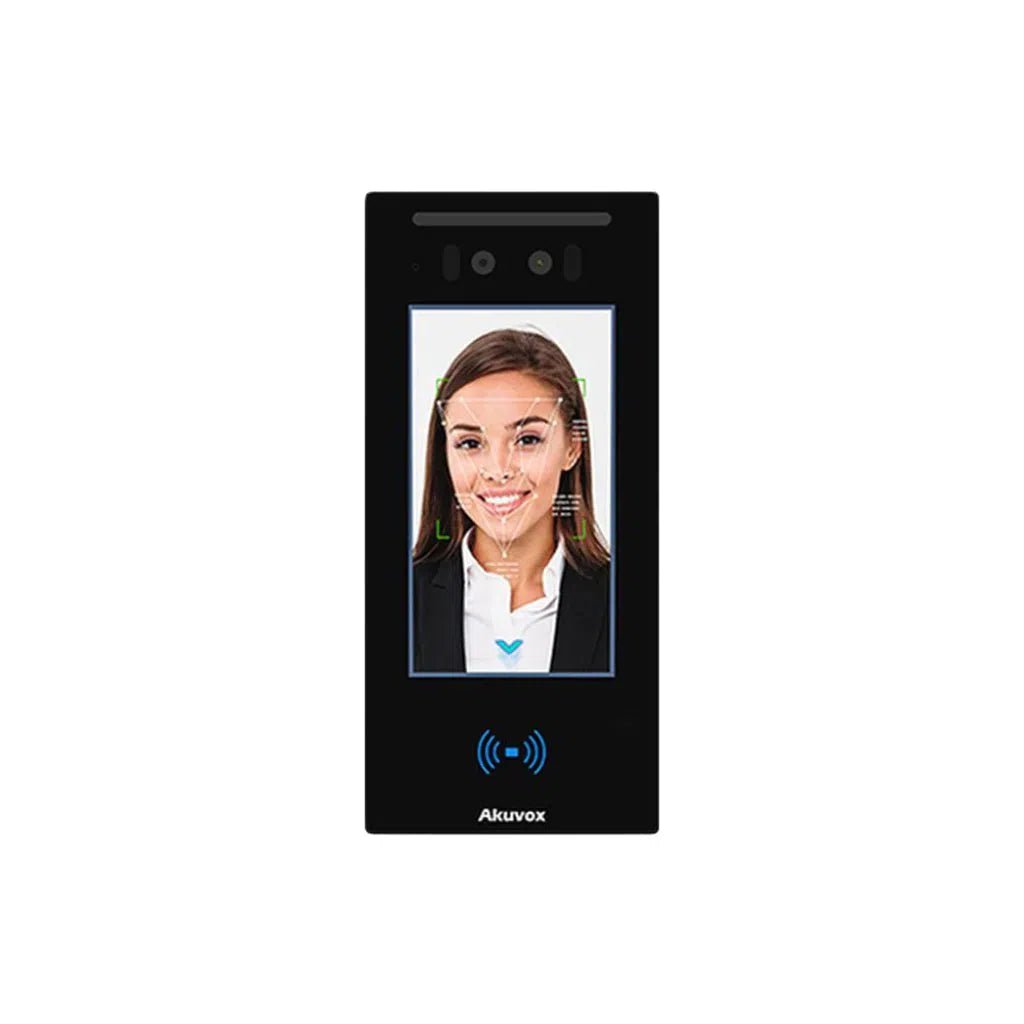
• Android OS — runs Akuvox SmartPlus app natively on the panel • 4.3" colour touchscreen with sleek surface-mount design • Dual relay output — control two doors/gates independently • Face recognition option for touchless access (with compatible indoor unit) • Full integration with Hikvision and Dahua CCTV NVRs • Supports QR code access and RFID card reader add-on |
|
Hikvision DS-KV6113-WPE1 Hikvision Villa Door Station | Best for: Hikvision CCTV users, budget-conscious wired intercom |
|
• 2MP camera with colour night vision (white light supplement) • Native integration with Hikvision NVR — footage saved alongside CCTV cameras • Remote unlock via Hik-Connect app (iOS & Android) • Built-in RFID card reader — swipe to enter without calling • IP65 weatherproof, IK07 vandal-resistant • PoE powered — works with existing Hikvision PoE switch |
When a Video Doorbell Is the Right Choice
Despite everything above, a video doorbell is the better choice in certain situations. Here's when to go that route:
• You're renting and cannot make permanent modifications to the property
• You're in an apartment and only need to monitor and communicate at a single door
• You need a fast, low-cost solution within the week — no waiting for installation
• You don't need remote door unlocking — someone is always home, or you use a smart lock separately
• You want basic motion alerts and visitor footage as a deterrent, not a full security system
|
📦 If you go doorbell: The Hikvision DS-KB series Wi-Fi doorbell integrates with Hik-Connect — meaning if you already have Hikvision CCTV cameras, your doorbell footage appears in the same app. A better choice than Ring if you're already in the Hikvision ecosystem. [Insert /collections/hikvision-intercom] |
Which System Is Right for You? — Quick Guide
|
Your Situation |
Best Choice |
Why |
|
House with front gate + electric strike |
Video Intercom |
Only intercom can trigger the gate/lock relay remotely |
|
Apartment — renting, no permanent fixtures |
Video Doorbell |
Battery-powered, no drilling, removable when you leave |
|
Apartment — owner-occupier |
Video Intercom (flush mount) |
Permanent install, integrates with building entry if applicable |
|
Home with existing Hikvision CCTV |
Hikvision DS-KV intercom |
Native Hik-Connect integration, footage on same NVR |
|
Home wanting full smart security system |
Akuvox R29 or E12W |
SIP + relay + CCTV integration + alarm — full ecosystem |
|
Home office / small business visitors |
Akuvox (SIP model) |
Rings desk phone + mobile simultaneously, professional grade |
|
Holiday home / investment property |
Video Intercom + remote unlock |
Grant access remotely without being physically present |
|
Budget under $200, DIY install |
Video Doorbell (Hikvision Wi-Fi) |
Quick, affordable, no professional install needed |
|
New build or major renovation |
Video Intercom |
Cable during construction = clean install, future-proof |
Installation: What to Expect
Video Doorbell Installation
Most video doorbells are designed for DIY installation:
• Remove existing doorbell or select a surface-mount location
• Connect to existing 8–24V AC doorbell wiring, or use battery/solar power
• Mount the bracket and attach the doorbell unit
• Download the app, connect to Wi-Fi, configure motion zones
Typical time: 30–60 minutes. No licensed trades required in most cases.
Video Intercom Installation
Wired video intercom installation typically involves:
• Running Cat6 cable from the door station to your router or PoE switch (and optionally to indoor screen locations)
• Mounting the outdoor door station — flush or surface mount depending on model
• Connecting the relay output to your electric strike, mag lock, or gate motor
• Configuring the SIP settings and app pairing
• Testing unlock function and call quality
Professional installation is recommended for wired intercoms, especially where relay wiring, gate motors, or access control integration is involved. TSE can connect you with experienced installers in Melbourne and Sydney.
|
🔧 EOFY Deal: TSE is currently running an End of Financial Year sale with significant discounts across Akuvox and Hikvision intercom products. If you've been considering upgrading your front door security, now is the best time to buy. Browse the full range at totalsecurityequipment.com.au/collections/eofy-sales — while stock lasts. |
Frequently Asked Questions
|
What is the difference between a video doorbell and a video intercom? |
|
A video doorbell is a Wi-Fi-connected camera that lets you see and speak to visitors via a smartphone app. A video intercom is a wired system that also allows you to remotely unlock a door, gate, or electric strike, and can integrate with CCTV, alarm, and access control systems. Intercoms are more capable and more secure; doorbells are easier to install. |
|
Can I unlock my front door remotely with a video doorbell? |
|
Most video doorbells (including Ring) do not have a built-in relay to unlock a door or gate. To unlock remotely, you need a video intercom with a relay output (such as Akuvox or Hikvision DS-KV series), combined with an electric strike or magnetic lock on the door. Alternatively, you can pair a video doorbell with a separate smart lock (e.g. August, Yale) for remote unlocking. |
|
Does Akuvox work with iPhone and Android? |
|
Yes. The Akuvox SmartPlus app is available on both iOS (iPhone) and Android. When someone presses the Akuvox door station, your smartphone receives a call with live video. You can speak to the visitor and tap to unlock the door — all from the app, from anywhere in the world. |
|
What is the best video intercom for a home in Australia in 2026? |
|
For most Australian homes, the Akuvox E12W (entry-level) or Akuvox R29 (feature-rich) are our top recommendations. For homes already running a Hikvision CCTV system, the Hikvision DS-KV6113 door station integrates natively with your existing NVR and Hik-Connect app. All are available at Total Security Equipment. |
|
Can a video intercom work without internet? |
|
Yes — unlike Wi-Fi doorbells, a wired video intercom communicates over your local network. If your internet goes down, the intercom can still call indoor stations on the same network. However, remote access via smartphone (from outside your home network) requires an active internet connection. |
|
How much does a video intercom system cost in Australia? |
|
Entry-level wired video intercom systems start from around $250–$400 for the outdoor door station alone (Hikvision DS-KV series, Akuvox E12W). A complete system with indoor screen, cabling, and professional installation typically runs $600–$1,500 depending on property complexity. Contact TSE for a quote tailored to your property. |
Ready to Choose the Right System? TSE Can Help.
Total Security Equipment stocks the full Akuvox and Hikvision intercom ranges, along with the access control components (electric strikes, mag locks, keypads) needed to complete a professional installation.
Our team in Melbourne and Sydney can advise on the right intercom for your property — whether you're a homeowner, installer, or property manager. Visit us in-store or browse online.
📍 Melbourne: 26 Davies Ave, Sunshine North VIC 3020
📍 Sydney: 38 Lisbon St., Fairfield East, NSW 2165